Zactr analysis, right on the Amazon product page
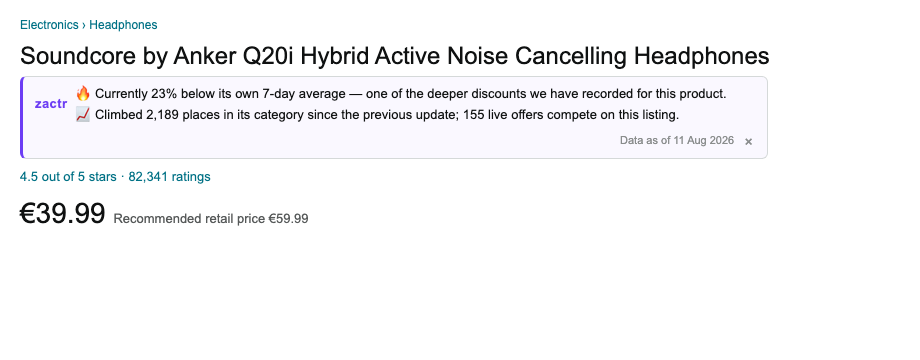
The free Zactr Chrome extension adds an expandable intelligence panel to Amazon product pages — historical price charts, deal depth, bestseller momentum, demand, reviews, offer competition and seller confidence. When an unfamiliar ASIN is opened, Zactr can fetch and store its analysis automatically.
Install in five steps
- Download the zip above and unzip it (double-click the downloaded file).
- Open
chrome://extensionsin Chrome. - Switch on Developer mode (top-right toggle).
- Click Load unpacked and select the unzipped folder.
- Open any Amazon product page — the Zactr strip appears just below the product title.
- Create your free extension account with your name and email, or sign in with an existing Zactr account.
Updates
Server-driven from version 1.5.0: analysis wording, recommendations, metrics, notices and chart content come from Zactr's versioned display service. Routine analysis improvements no longer require another extension download.
Registration is required before analysis is shown. Zactr stores the installation identifier, extension version, account email and server-observed IP address for access control, security and aggregate download/install reporting. Passwords are securely hashed and are never stored in the extension; Chrome stores only a revocable access token.
When a new version is released, download the zip again, unzip it over the old folder, then press the reload button on the extension card at chrome://extensions.
Also works in other Chromium browsers (Edge, Brave, Arc) via the same steps, though only Chrome is tested.